What is MCP? The Model Context Protocol Explained for Engineers
MCP is the open protocol that standardizes how LLMs connect to external tools and data. This deep-dive covers the architecture, primitives, transport layers, and what MCP is not, for engineers building with AI.
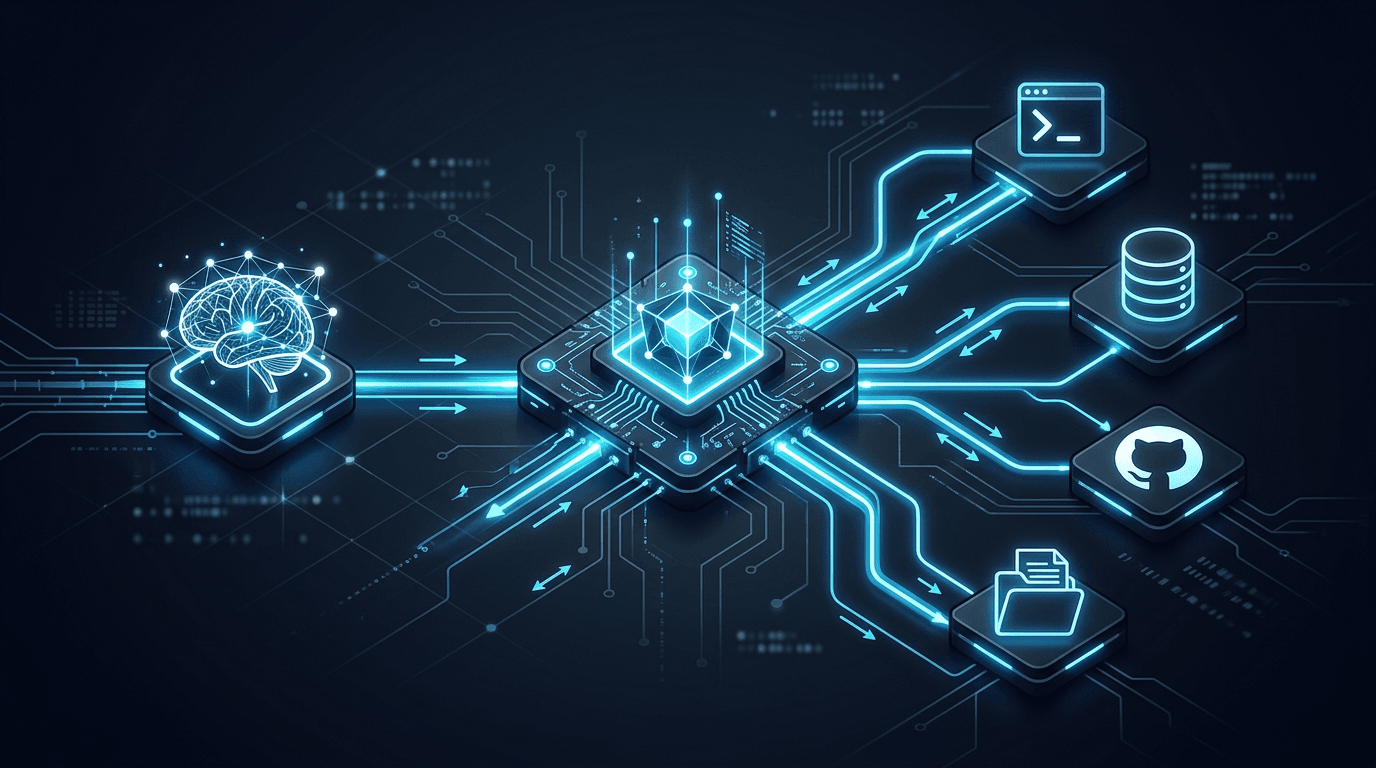
Correction — September 25, 2026: The earlier version incorrectly said MCP defines no authorization scheme and described the legacy HTTP+SSE transport as current. These sections now reference the dated official specification.
You have probably seen people running Claude or Gemini from the terminal, wiring up their editor to a database, or building agents that autonomously call GitHub and Slack. In almost every case, the plumbing underneath is MCP.
MCP stands for Model Context Protocol. It is the open standard that defines how LLM applications connect to external tools, APIs, and data sources. If you are building anything with AI that goes beyond pure text generation, you will encounter it. This article explains exactly what it is, how it works at the protocol level, and what it is not.
The Problem: M x N Integration Hell
Before MCP, every AI model had its own proprietary function-calling format.
OpenAI used a tools array with a specific JSON schema. Anthropic's Claude had tool_use blocks. Gemini had function_declarations. Each format was subtly different in how you declared input schemas, how the model signaled a tool call, and how you returned results.
If you were building a product that needed to work across multiple models, and each model needed access to multiple tools, you faced an M x N problem:
WITHOUT MCP
===========

Models:          Claude    GPT-5    Gemini    Llama
                   |         |        |         |
                   |  custom |  custom| custom  |
                   | adapter | adapter|adapter  |
                   |         |        |         |
Tools:          Search    DB    GitHub   Slack   Files

4 models x 5 tools = 20 separate integration paths

Each integration must be:
- Written separately for each model/tool pair
- Maintained independently when either side changes
- Re-tested whenever model APIs update


WITH MCP
========

Models:    Claude    GPT-5    Gemini    Llama
              \        |        |        /
               \       |        |       /
                ----[MCP Protocol]----
               /       |        |       \
              /        |        |        \
Tools:     Search    DB    GitHub   Slack   Files

Write each tool once as an MCP server.
Any MCP-compatible model can use it.
The protocol collapses the integration matrix. You write each tool once. Every model that speaks MCP can use it.
What MCP Is
MCP is an open protocol specification, not a library, product, or service. The spec defines:
- The message format: JSON-RPC 2.0 (the same wire format used by the Language Server Protocol in your editor)
- The session lifecycle: how a host discovers and connects to servers
- The capability model: what servers can expose and how hosts request them
- The transport contracts: how messages are physically carried
Anthropic published the initial specification in November 2024. In March 2026, six companies (Anthropic, OpenAI, Google, AWS, Microsoft, and Salesforce) co-founded the Agentic AI Foundation (AAIF) under the Linux Foundation to govern MCP as a vendor-neutral standard alongside OpenAI's AGENTS.md and Block's Goose runtime.
The commonly used analogy is USB-C: a universal physical connector that works regardless of which device is on each end. MCP is the "USB-C for LLM tooling" in that it defines a standard connector between any model and any tool. The analogy is imperfect (USB-C also standardizes power and data transfer rates; MCP only standardizes the protocol, not the underlying tool implementation), but it captures the goal.
The Three-Layer Architecture
Every MCP deployment has three layers:
┌─────────────────────────────────────────────────────────────┐
│                        MCP HOST                             │
│   (Claude Desktop / Cursor / Claude CLI / your app)         │
│                                                             │
│   ┌─────────────────────────────────────────────────────┐   │
│   │              MCP CLIENT (per server)                │   │
│   │   Manages one session with one MCP server           │   │
│   │   Handles: initialize, capability negotiation,      │   │
│   │   tool dispatch, result parsing                     │   │
│   └──────────────────────┬──────────────────────────────┘   │
└─────────────────────────-│──────────────────────────────────┘
                           │  (stdio or Streamable HTTP)
                           │
┌──────────────────────────▼──────────────────────────────────┐
│                       MCP SERVER                            │
│   A lightweight process you implement                       │
│   Exposes: Tools / Resources / Prompts                      │
│                                                             │
│   Examples:                                                 │
│   - filesystem server (reads/writes local files)            │
│   - postgres server (runs SQL queries)                      │
│   - github server (calls GitHub REST API)                   │
│   - slack server (sends messages, reads channels)           │
└─────────────────────────────────────────────────────────────┘
The Host is the LLM application: Claude Desktop, Cursor IDE, the claude CLI, or a custom app you build. The host contains the language model and decides when to use tools.
The Client is not a separate process. It is the protocol session handler embedded inside the host, one per MCP server connection. The host can maintain connections to multiple MCP servers simultaneously, each through its own client instance.
The Server is a process you write and run. It exposes your tools. It has no built-in knowledge of the LLM calling it; it just handles JSON-RPC requests and returns structured results.
The host and server are completely decoupled. You can run a filesystem MCP server with Claude today and switch to GPT-5 tomorrow with zero changes to the server.
The Three Primitives: What Servers Expose
MCP servers declare their capabilities using three primitives.
Tools
Tools are the most widely used primitive. A Tool is a callable function with a declared input schema. When the LLM decides it needs to perform an action, it emits a tool call. The MCP client routes that call to the correct server, the server executes it, and the result flows back into the model's context.
A tool declaration looks like this:
{
  "name": "search_codebase",
  "description": "Search the local codebase for files matching a query. Returns file paths and relevant line ranges.",
  "inputSchema": {
    "type": "object",
    "properties": {
      "query": {
        "type": "string",
        "description": "The search term or regex pattern"
      },
      "path": {
        "type": "string",
        "description": "Directory to search within. Defaults to project root."
      },
      "maxResults": {
        "type": "integer",
        "description": "Maximum number of results to return",
        "default": 20
      }
    },
    "required": ["query"]
  }
}
The description field is not decorative. The LLM reads it to decide whether and when to call the tool. A vague description leads to incorrect or missed tool calls. Treat it like documentation that the model will parse at runtime.
Resources
Resources are read-only data sources the model can pull into its context. Unlike Tools (which perform actions), Resources represent state: the contents of a file, a database record, an API response.
A resource has a URI scheme that the host can request:
file:///home/user/project/README.md
postgres://localhost/mydb/tables/users
github://repos/anthropics/anthropic-sdk-python/issues
The host can list available resources, subscribe to resource change notifications, and read resource contents. Resources are useful when you want to inject context without executing a side-effectful action.
Prompts
Prompts are reusable, parameterized prompt templates stored on the server. They let server authors define standard workflows that the host can invoke by name.
{
  "name": "code_review",
  "description": "Review a pull request for correctness, style, and security",
  "arguments": [
    { "name": "pr_url", "description": "GitHub PR URL", "required": true },
    { "name": "focus", "description": "Review focus: security | performance | style", "required": false }
  ]
}
When the user triggers the code_review prompt, the host asks the server to render it with the provided arguments, then injects the rendered prompt into the conversation. This is useful for standardizing how AI workflows are initiated.
Transport Layers: How Messages Travel
The 2025-11-25 transport specification defines stdio and Streamable HTTP. Streamable HTTP replaced the older HTTP+SSE transport. Pin the protocol and SDK versions when implementing either transport.
STDIO TRANSPORT (local)
=======================

Host process                    Server process
┌──────────────┐   stdin        ┌──────────────────────┐
│  MCP Client  │ ────────────►  │                      │
│              │                │    MCP Server        │
│              │ ◄────────────  │    (your tool)       │
└──────────────┘   stdout       └──────────────────────┘

The host spawns the server as a child process.
Messages are newline-delimited JSON on stdin/stdout.
Used for: local filesystem, local databases, local CLI tools.
Local process boundary. Restrict permissions and protect credentials.


STREAMABLE HTTP TRANSPORT (remote)
==============================

Host process                    Server process (remote)
┌──────────────┐  HTTP POST     ┌──────────────────────┐
│  MCP Client  │ ────────────►  │  MCP Server          │
│              │                │  (HTTP endpoint)     │
│              │ ◄────────────  │                      │
└──────────────┘  SSE stream    └──────────────────────┘

The host POSTs JSON-RPC requests to an HTTP endpoint.
Responses may use JSON or a Server-Sent Events stream.
SSE is optional; a persistent stream is not always required.
Used for: cloud APIs, shared team servers, SaaS integrations.
Protected remote servers: HTTPS and the specified authorization flow.
Stdio is the default for developer tooling. When you configure a local MCP server in Claude Desktop or Cursor, you are almost always using stdio. The host just needs a command to run and optional environment variables.
Streamable HTTP supports remote services: a shared database integration your whole team uses, a SaaS tool that requires cloud authentication, or a server that aggregates multiple backend services.
A Tool Call: What Actually Happens
Let's trace a single tool call from user prompt to result. The user types "list all TypeScript files modified in the last 24 hours" into Claude Desktop, which has a filesystem MCP server configured.
Step 1: Session initialization (happens once at startup)
When Claude Desktop launches, it starts the filesystem MCP server process and opens a session:
// Host → Server (initialize request)
{
  "jsonrpc": "2.0",
  "id": 1,
  "method": "initialize",
  "params": {
    "protocolVersion": "2024-11-05",
    "capabilities": { "roots": { "listChanged": true } },
    "clientInfo": { "name": "Claude Desktop", "version": "1.0" }
  }
}

// Server → Host (initialize response)
{
  "jsonrpc": "2.0",
  "id": 1,
  "result": {
    "protocolVersion": "2024-11-05",
    "capabilities": {
      "tools": {},
      "resources": { "subscribe": true }
    },
    "serverInfo": { "name": "filesystem", "version": "0.6.2" }
  }
}
The host now knows the server supports tools and subscribable resources.
Step 2: Tool discovery
The host fetches the tool list:
// Host → Server
{ "jsonrpc": "2.0", "id": 2, "method": "tools/list" }

// Server → Host
{
  "jsonrpc": "2.0",
  "id": 2,
  "result": {
    "tools": [
      { "name": "list_files", "description": "List files matching criteria...", "inputSchema": {...} },
      { "name": "read_file",  "description": "Read file contents...",          "inputSchema": {...} },
      { "name": "write_file", "description": "Write content to a file...",     "inputSchema": {...} }
    ]
  }
}
The tool list is injected into the system prompt for the LLM. The model can now see what tools are available.
Step 3: The model decides to call a tool
The user sends "list all TypeScript files modified in the last 24 hours." The LLM generates a tool call:
// LLM output (parsed by MCP client)
{
  "type": "tool_use",
  "name": "list_files",
  "input": {
    "pattern": "**/*.ts",
    "modifiedWithin": "24h"
  }
}
Step 4: The client executes the call
// Host → Server
{
  "jsonrpc": "2.0",
  "id": 3,
  "method": "tools/call",
  "params": {
    "name": "list_files",
    "arguments": { "pattern": "**/*.ts", "modifiedWithin": "24h" }
  }
}

// Server → Host
{
  "jsonrpc": "2.0",
  "id": 3,
  "result": {
    "content": [
      {
        "type": "text",
        "text": "src/auth/session.ts (modified 3h ago)\nsrc/api/routes.ts (modified 11h ago)\ntests/auth.test.ts (modified 18h ago)"
      }
    ]
  }
}
Step 5: Result injection and response generation
The tool result is injected back into the conversation as a tool_result message. The LLM now generates a final natural-language response using the returned data. From the user's perspective, they asked a question and got an answer. Under the hood, a full JSON-RPC session happened.
What MCP Is NOT
MCP is a precisely scoped protocol. There are several common things people assume it does that it deliberately does not.
Not an AI Model or Inference Engine
MCP is the plumbing between the model and tools. There is no LLM in MCP itself. The model lives in the host; MCP just defines how the host asks external systems to do things. An MCP server has no opinion about which model is calling it.
Not a Replacement for REST APIs
Your REST endpoints, GraphQL APIs, and databases do not go away when you adopt MCP. MCP is an adapter layer. You write an MCP server that calls your existing APIs. The server translates between the MCP tool-call format and whatever your backend actually speaks. REST, gRPC, SQL, and proprietary SDKs all remain exactly where they are underneath.
Not a Plugin System
Calling MCP servers "plugins" is technically incorrect. A plugin system typically implies a marketplace, a sandboxed execution environment, and platform-managed distribution. MCP has none of these. There is no official MCP server marketplace (though community registries exist). Servers are not sandboxed by the protocol; they run with whatever OS permissions you grant them. You distribute and install them yourself.
Not RAG
Retrieval-Augmented Generation is an architectural pattern: retrieve relevant context, inject it into the prompt, generate a grounded response. MCP can be a delivery mechanism for retrieval (your vector database can be an MCP tool), but MCP itself has no concept of embeddings, similarity search, or chunking. An MCP tool that calls a vector DB is one way to implement RAG; it is not what RAG means.
Not Automatically Secure
MCP defines authorization, but it does not automatically sandbox a tool or enforce your application's permission policy.
For stdio servers, the security boundary is the host machine. Any process the host spawns inherits the user's filesystem and environment variable access. A malicious or misconfigured MCP server can read your SSH keys, exfiltrate environment variables, or modify files.
The 2025-11-25 authorization specification defines an OAuth-based flow for HTTP transports. Authorization is optional; HTTP implementations that support it should follow the specification. Stdio implementations instead obtain credentials from the environment. Sensitive tools still need access controls, input validation, and appropriately scoped permissions.
The security risks are real. Running untrusted MCP servers from the internet is equivalent to running untrusted code.
Not a Universal Execution Environment
MCP defines how to describe and invoke tools. It does not define what those tools can do, how they are implemented, or what resources they have access to. A run_code tool is just a tool declaration; the server implementing it decides whether to use a Docker container, a subprocess, or bare metal. MCP provides the interface contract, not the execution sandbox.
MCP in Practice: CLI and IDE Examples
Here is what MCP configuration looks like in two of the most common development environments.
Claude Desktop (claude_desktop_config.json)
Claude Desktop reads MCP server configuration from a JSON file. Each entry specifies how to start the server process:
{
  "mcpServers": {
    "filesystem": {
      "command": "npx",
      "args": ["-y", "@modelcontextprotocol/server-filesystem", "/Users/you/projects"],
      "env": {}
    },
    "postgres": {
      "command": "npx",
      "args": ["-y", "@modelcontextprotocol/server-postgres"],
      "env": {
        "DATABASE_URL": "postgresql://localhost/mydb"
      }
    },
    "github": {
      "command": "npx",
      "args": ["-y", "@modelcontextprotocol/server-github"],
      "env": {
        "GITHUB_PERSONAL_ACCESS_TOKEN": "ghp_..."
      }
    }
  }
}
Claude Desktop spawns each server as a child process on startup, initializes an MCP session with each one, and makes all their tools available during the conversation.
Cursor IDE (.cursor/mcp.json)
Cursor uses the same server configuration structure:
{
  "mcpServers": {
    "filesystem": {
      "command": "npx",
      "args": ["-y", "@modelcontextprotocol/server-filesystem", "${workspaceFolder}"]
    },
    "sequential-thinking": {
      "command": "npx",
      "args": ["-y", "@modelcontextprotocol/server-sequential-thinking"]
    }
  }
}
Once configured, Cursor's AI features can invoke these tools during code generation, refactoring, and chat interactions.
When Should You Build an MCP Server?
Not every integration needs a custom MCP server. Use this decision framework:
Does a community MCP server already exist for this tool?
  YES → Use it. Check the official MCP servers repo and community registries.
  NO  → Continue below.

Will this tool be used by an LLM repeatedly, across multiple sessions?
  NO  → A one-off script or direct API call is simpler.
  YES → Continue below.

Do you need this tool to work across multiple AI models or hosts?
  NO  → Use the model's native function-calling API directly.
  YES → Build an MCP server. The portability benefit is real.

Does the tool require access to local resources (filesystem, local DBs, CLI tools)?
  YES → MCP with stdio transport is the right fit.
  NO  → Consider an HTTP MCP server, or a REST API the LLM calls via an existing HTTP tool.
Good candidates for custom MCP servers: internal databases with proprietary schemas, company-specific APIs not available publicly, local development tools, and any integration you want to reuse across Claude, Cursor, and future LLM tooling.
A Minimal MCP Server
Here is a complete, working MCP server in TypeScript that exposes one tool. It uses the official @modelcontextprotocol/sdk package:
import { McpServer } from "@modelcontextprotocol/sdk/server/mcp.js";
import { StdioServerTransport } from "@modelcontextprotocol/sdk/server/stdio.js";
import { z } from "zod";
import { execSync } from "child_process";

const server = new McpServer({
  name: "git-tools",
  version: "1.0.0",
});

server.tool(
  "git_log",
  "Return the last N git commits with author, date, and message",
  {
    repoPath: z.string().describe("Absolute path to the git repository"),
    count:    z.number().int().min(1).max(50).default(10).describe("Number of commits to return"),
  },
  async ({ repoPath, count }) => {
    const output = execSync(
      `git -C "${repoPath}" log --oneline --format="%h | %an | %ar | %s" -${count}`,
      { encoding: "utf8" }
    );
    return {
      content: [{ type: "text", text: output.trim() }],
    };
  }
);

const transport = new StdioServerTransport();
await server.connect(transport);
To use it, add an entry to your claude_desktop_config.json or mcp.json pointing to this script. The SDK handles initialization, capability negotiation, JSON-RPC framing, and transport. You only write the tool logic.
Key Takeaways
- MCP is a protocol, not a product. It standardizes the JSON-RPC message format that LLM hosts use to discover and call external tools.
- The architecture has three layers: Host (the LLM app), Client (the session handler inside the host), and Server (your tool implementation).
- Three primitives: Tools (actions), Resources (read-only data), Prompts (reusable templates). Tools are what you will use most.
- Two standard transports: stdio and Streamable HTTP. The older HTTP+SSE transport is retained only for backward compatibility.
- The M x N problem is real. MCP exists because writing custom integrations for every model/tool pair does not scale.
- Security needs implementation. MCP specifies HTTP authorization; sandboxing and tool permissions remain responsibilities of the host and server operators.
- MCP is not RAG, not a plugin system, not a replacement for REST. It is an adapter layer that sits between the model and your existing backend.
MCP has absorbed what was previously a mess of proprietary function-calling formats into a single open standard. With the AAIF governance structure now in place, it is the safe long-term bet for any LLM tooling layer you build today. Understanding it at the protocol level, rather than just the configuration level, means you can debug it, secure it, and extend it instead of just hoping it works.
If you are building agentic systems on top of MCP, the next article to read is how agentic AI and RAG pipelines work together.