How to Design a Claude Skill
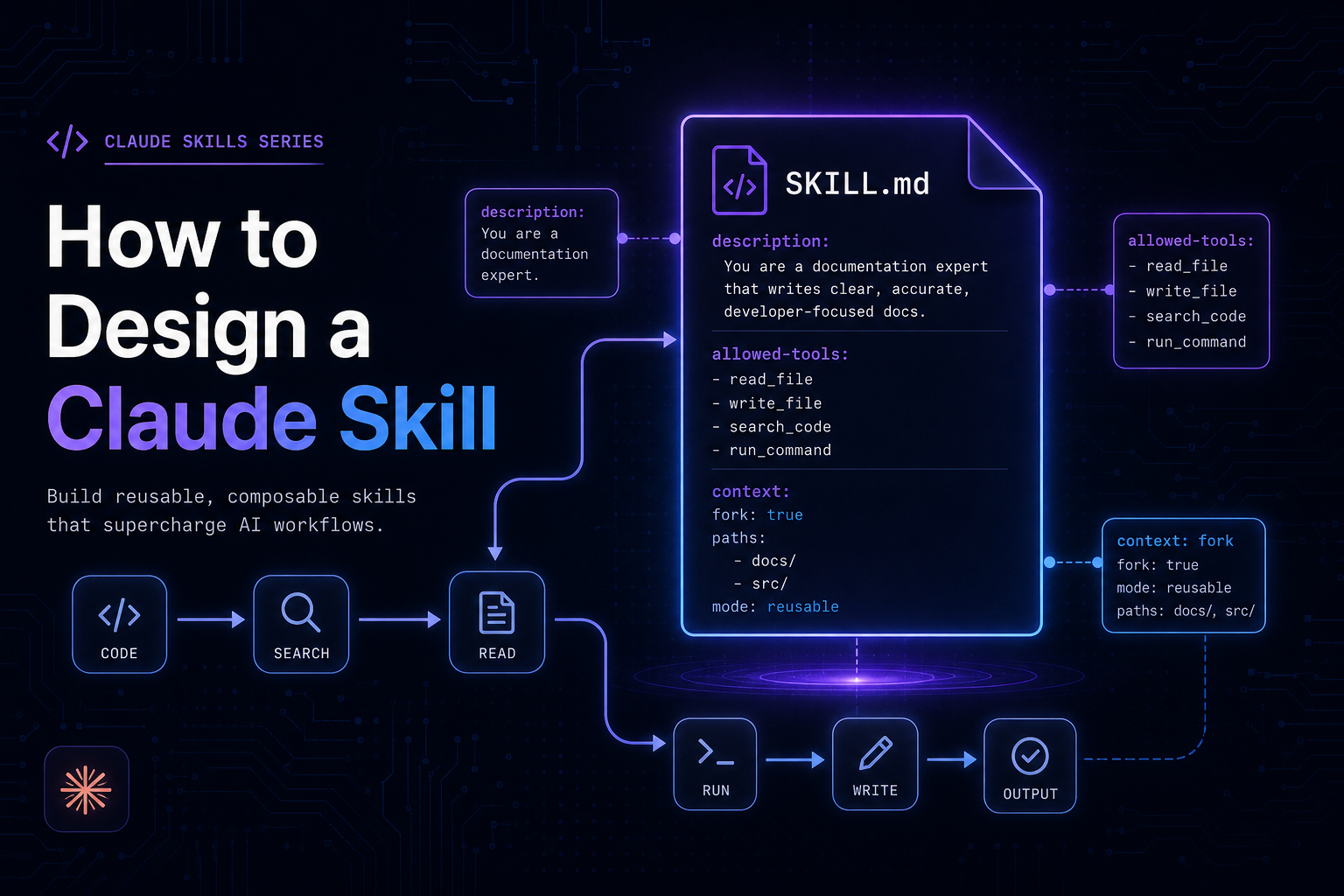
Skills are not prompts. They are reusable, invokable workflows that encode expertise once and execute reliably. Learn how to design Claude Skills with the right fields, forking strategy, tool permissions, and composition patterns.
What Is a Claude Skill?
A Claude Skill is a named, saved instruction set that extends Claude Code's behavior for a specific domain or workflow. Skills are stored as files on disk, invoked by users or Claude itself using a /skill-name command, and persist across sessions and projects.
At its simplest, a skill is a markdown file with YAML frontmatter:
.claude/skills/security-review/SKILL.md
---
name: security-review
description: Review code for OWASP Top 10 vulnerabilities, injection flaws, and secrets exposure
allowed-tools: Read Grep Glob
---

## Security Review Instructions

Analyze the provided code for:

1. Injection vulnerabilities (SQL, command, LDAP)
2. Broken authentication and session management
3. Sensitive data exposure (hardcoded secrets, PII logging)
4. Security misconfiguration
5. Use of components with known vulnerabilities

Report findings by severity: Critical, High, Medium, Low.
When a user types /security-review, Claude loads these instructions and executes them with the configured tools and context — consistently, every time, across every conversation.
Skills live in a scope hierarchy:
┌────────────────────────────────────────────-─┐
│              SKILL SCOPE HIERARCHY           │
├─────────────────────────────────────────────-┤
│  Enterprise   ~/.claude/org/skills/          │  ← All users in org
│      ↓                                       │
│  Personal     ~/.claude/skills/              │  ← All your projects
│      ↓                                       │
│  Project      .claude/skills/                │  ← This project only
│      ↓                                       │
│  Plugin       <plugin>/skills/               │  ← Where plugin enabled
└────────────────────────────────────────────-─┘

Priority: Enterprise > Personal > Project > Plugin
(Same name? Higher scope wins.)
Why Skills Exist
The Problem: Repeated Instructions, Inconsistent Results
Before skills, every conversation started fresh. If you wanted Claude to follow your team's security review process, you had to re-explain it every time:
"Review this code for SQL injection, XSS, hardcoded secrets, check OWASP top 10, look for broken auth patterns, report by severity, include line numbers..."
This creates three real problems:
- Inconsistency — the quality of the review depends on how well you articulate the prompt that day.
- Cognitive overhead — you spend mental energy re-specifying process instead of thinking about the outcome.
- No shareability — your team can't benefit from your refined process unless you share the raw prompt manually.
The Solution: Encode Expertise Once, Invoke Reliably
Skills solve this by making the instruction set a first-class artifact:
Without skills:                    With skills:

User types 200-word               User types:
prompt every time                 /security-review
       ↓                                ↓
Variable quality               Consistent, expert-level
depending on memory            review every time
The skill file becomes the single source of truth. It is versioned with your codebase, shared with your team via git, and invoked in one word.
Skills vs. Prompts: What's the Difference?
The distinction comes down to persistence, invocability, and structure.
┌────────────────────────────────────────────────────────────┐
│                  PROMPT vs. SKILL                          │
├──────────────────────┬─────────────────────────────────────┤
│       PROMPT         │              SKILL                  │
├──────────────────────┼─────────────────────────────────────┤
│ Lives in chat input  │ Lives in a file on disk             │
│ One conversation     │ Persists across all conversations   │
│ You type it          │ You invoke it: /skill-name          │
│ No metadata          │ Frontmatter: tools, scope, agents   │
│ Static text          │ Dynamic: !`command` injection       │
│ Not shareable        │ Version-controlled, team-shareable  │
│ No tool permissions  │ Pre-approved allowed-tools          │
│ No isolation option  │ context: fork for isolation         │
└──────────────────────┴─────────────────────────────────────┘
Think of the relationship this way:
A prompt is code you write inline.
A skill is a function you define once and call by name.
The prompt becomes the skill's body. But by promoting it to a skill, you gain configuration, shareability, repeatability, and the ability to inject live data.
Dynamic Context Injection
One of the most powerful skill features unavailable in plain prompts is shell command injection using !`command`:
---
name: review-pr
context: fork
agent: Explore
---

Changed files: !`gh pr diff --name-only`
Full diff:     !`gh pr diff`

Review the diff above for quality and security issues.
The commands execute before Claude sees the skill. Claude receives actual git diff output, not a static placeholder. This grounds skill instructions in the current state of the world — something a typed prompt can only approximate.
Skills vs. Subagents: Architecture Choices
This is where the architecture gets interesting. Skills and subagents solve different problems but compose together naturally.
What Is a Subagent?
A subagent is an isolated Claude instance — a separate context window that receives a prompt, executes a task using its own tool access, and returns a result to the parent. Subagents are the execution unit. Skills are the instruction sets that drive them.
┌─────────────────────────────────────────────────────────┐
│                  EXECUTION MODEL                        │
│                                                         │
│   Main Session                                          │
│   ┌──────────────────────────────────────────────┐      │
│   │  Conversation history                        │      │
│   │  User: /deep-research authentication         │      │
│   │                                              │      │
│   │   ┌──────────────────────────────────────┐   │      │
│   │   │  Subagent (context: fork)            │   │      │
│   │   │  ─────────────────────────────────   │   │      │
│   │   │  Prompt: SKILL.md instructions       │   │      │
│   │   │  Tools:  Read, Grep, Glob            │   │      │
│   │   │  History: NONE (isolated)            │   │      │
│   │   │                                      │   │      │
│   │   │  Runs task → returns summary         │   │      │
│   │   └──────────────────────────────────────┘   │      │
│   │                         ↓                    │      │
│   │  Summary injected as single message          │      │
│   └──────────────────────────────────────────────┘      │
└─────────────────────────────────────────────────────────┘
Key Differences
┌──────────────────────────────────────────────────────────────┐
│                   SKILL vs. SUBAGENT                         │
├─────────────────────────┬────────────────────────────────────┤
│         SKILL           │            SUBAGENT                │
├─────────────────────────┼────────────────────────────────────┤
│ Instruction set         │ Execution environment              │
│ Defines WHAT to do      │ Defines WHERE it runs              │
│ Invoked by /name        │ Spawned by context: fork or SDK    │
│ Can run inline          │ Always isolated context            │
│ Has conversation access │ No conversation history            │
│ Author focus: prompt    │ Author focus: isolation/tooling    │
└─────────────────────────┴────────────────────────────────────┘
A skill becomes a subagent prompt when context: fork is set. Without it, the skill runs inline in your existing conversation. The skill is the what, the subagent is the where.
Agent Types
When forking, the agent field selects which subagent template drives execution:
┌──────────────────────────────────────────────────────-┐
│                  AGENT TYPES                          │
├───────────────────┬─────────────────────────────────-─┤
│ Explore           │ Read-only: Read, Grep, Glob       │
│                   │ Best for: research, analysis      │
├───────────────────┼──────────────────────────────────-┤
│ Plan              │ Limited tools, planning focus     │
│                   │ Best for: architecture, design    │
├───────────────────┼──────────────────────────────────-┤
│ general-purpose   │ Full tool access                  │
│                   │ Best for: end-to-end tasks        │
└───────────────────┴─────────────────────────────────-─┘
When to Create a Skill vs. a Subagent
This is the most common architectural question. Here is a decision tree:
                    Start here
                        │
         Are you defining HOW Claude
         should approach a domain?
                        │
              ┌─────────┴──────────┐
             YES                   NO
              │                    │
         → SKILL             Are you defining
                             execution isolation
                             or parallelism?
                                   │
                         ┌─────────┴──────────┐
                        YES                   NO
                         │                    │
                   → SUBAGENT           → HOOK or
                   (context: fork)        WORKFLOW
Create a Skill When:
- You have domain knowledge or process to encode (security review, code style, API conventions)
- You want a repeatable, invokable command for a workflow (
/deploy,/release,/review) - The task needs to work across multiple projects (personal skills in
~/.claude/skills/) - You want the instruction set to be version-controlled and team-shared
Create a Subagent (use context: fork) When:
- The skill does heavy exploration that would overwhelm your main context
- You want the task to run without access to conversation history (clean slate)
- You need the result as a clean summary injected back to the parent
- You are building a master orchestrator that delegates to specialized workers
Concrete Examples
Scenario | Choice | Reason |
|---|---|---|
/security-review for any project | Personal Skill | Reusable domain knowledge |
Research 50 auth files, summarize | Skill + context: fork, agent: Explore | Heavy, benefits from isolation |
/deploy to production | Skill + disable-model-invocation: true | Side effects need manual trigger |
Parallel lint + test + audit | SDK subagents | True concurrency at SDK level |
API conventions reference | Skill (no fork) | Guidelines, not a task |
Anatomy of a Skill
File Structure
.claude/skills/my-skill/
├── SKILL.md          ← Required: frontmatter + instructions
├── reference.md      ← Optional: detailed docs Claude can read
├── examples/
│   └── output.md     ← Optional: sample outputs for few-shot
└── scripts/
    └── validate.sh   ← Optional: helper scripts
Keep SKILL.md under ~200 lines. Every line costs tokens on every invocation. Move large reference material to supporting files and link to them explicitly.
Frontmatter Reference
---
# Identity
name: skill-name                      # Defaults to directory name
description: >                        # CRITICAL: drives auto-invocation
  One or two sentences. Be specific.
  Keywords matter — Claude matches on these.

# Invocation control
disable-model-invocation: false       # true = only user can invoke /name
user-invocable: true                  # false = Claude uses, never shown in menu

# Execution context
context: fork                         # Run in isolated subagent
agent: Explore                        # Which subagent type (Explore/Plan/general-purpose)

# Tool access
allowed-tools: Bash(git *) Read Grep  # Pre-approve tools without per-use prompts

# Arguments
arguments: [component, from, to]      # Named: use $component, $from, $to
argument-hint: "[component] [from] [to]"  # Shown in /help

# Scoping
paths: "src/**/*.ts,tests/**"         # Only load when editing matching files
model: claude-sonnet-4-6              # Override model for this skill
effort: high                          # Override effort level
---
The description Field Is Your Most Important Field
Claude uses description to decide when to auto-invoke your skill without being asked. A vague description means the skill never fires automatically. A precise description means Claude routes to it reliably:
# BAD — never auto-invokes correctly
description: Helps with code things

# GOOD — fires on exactly the right requests
description: >
  Refactor Python code to follow PEP 8 standards: snake_case naming,
  type hints, docstrings, and consistent import ordering
How Parallelization Works
This section requires careful distinction between two levels: CLI-level and SDK-level.
CLI Level: Context Isolation, Not True Parallelism
In Claude Code (the CLI), context: fork creates sequential isolated execution — not parallel. One subagent runs, completes, and returns before the next begins. The value is context isolation, not speed.
CLI EXECUTION (context: fork)

Time ──────────────────────────────────────────────────────►

Main   [──────────────────────────────────────────────────]
        │
        └──► Subagent 1 [runs] ──► returns summary
                                          │
                                          └──► Subagent 2 [runs] ──► returns summary
                                                                             │
                                                                        Main resumes
SDK Level: True Concurrency
In the Claude Agent SDK, you achieve genuine parallelism by calling the Agent tool multiple times in a single response. Each call spawns an independent subagent, and all run concurrently:
SDK EXECUTION (parallel Agent tool calls)

Time ──────────────────────────────────────────────────────►

Main        [decides to parallelize]
             │           │           │
             ▼           ▼           ▼
        Agent 1      Agent 2      Agent 3
        [lint]       [test]       [audit]
             │           │           │
             └───────────┴───────────┘
                         │
                    All results
                    collected
                         │
                    Main synthesizes
This is what the Agent tool in this system uses when it spawns multiple independent research or execution agents in a single message.
When Context Isolation Still Wins
Even without true parallelism, forking is valuable for:
- Context budget management — exploration that reads 50 files stays out of your main context
- Clean task prompts — the subagent gets only the skill instructions, not 40 turns of conversation
- Composable outputs — each subagent returns a crisp summary; the main agent synthesizes
WHY FORK (even without parallelism)

Without fork:
┌────────────────────────────────────────────┐
│ 40 turns of conversation                   │
│ + 50 files of exploration                  │
│ + analysis results                         │
│ = 100k tokens, expensive, slow             │
└────────────────────────────────────────────┘

With fork:
┌────────────────────────────────────────────┐
│ 40 turns of conversation                   │
│ + [300-token summary from subagent]        │
│ = 45k tokens, cheaper, fast                │
└────────────────────────────────────────────┘
Best Practices for Skill Design
1. Match Scope to Invocability
Not every skill should be invokable by users. Some should be reference material Claude loads silently:
# Reference skill — Claude loads when relevant, user never types /api-conventions
---
description: REST API design conventions for this codebase
user-invocable: false
---

## Conventions
- Use plural nouns for resource URLs (/users, not /user)
- Return 422 for validation errors, not 400
...

# Action skill — user explicitly triggers
---
description: Build a new REST API endpoint following project conventions
disable-model-invocation: false
allowed-tools: Read Write Bash(npm run lint)
---
2. Gate Side Effects Behind disable-model-invocation
Any skill that deploys, commits, sends messages, or modifies shared state must require explicit user invocation. Claude should never auto-trigger these:
# WRONG — Claude might deploy unprompted
---
description: Deploy the application to production
---

# RIGHT — only fires when user types /deploy
---
description: Deploy the application to production
disable-model-invocation: true
allowed-tools: Bash(./scripts/deploy.sh) Bash(git *)
---
3. Scope allowed-tools to Least Privilege
The allowed-tools field pre-approves tools without per-call permission prompts. Scope it tightly:
# Analysis skill — read-only
allowed-tools: Read Grep Glob

# Git workflow skill — specific git subcommands only
allowed-tools: Bash(git status) Bash(git add *) Bash(git commit *) Bash(git push)

# NOT this — too broad
allowed-tools: Bash
4. Use context: fork Only When There's a Concrete Task
Fork only when the skill has a clear output to return. Reference material in a fork wastes a context window:
# WRONG — guidelines without a task; subagent has nothing to do
---
context: fork
---
Follow these API conventions when building endpoints...

# RIGHT — concrete task with guidelines
---
context: fork
agent: Explore
---
Audit all API endpoints in src/routes/ against these conventions:
- Plural resource naming
- Consistent error formats
- Input validation on all POST/PUT endpoints

Return a list of violations with file and line references.
5. Inject Live Data with !command``
Never embed stale reference data when you can inject the real thing:
# WRONG — static, goes stale
Current schema:
[you pasted schema here two weeks ago]

# RIGHT — always current
Current schema: !`cat prisma/schema.prisma`
Open PRs:       !`gh pr list --json number,title,author`
Test results:   !`npm test -- --json 2>/dev/null | tail -20`
6. Handle Arguments with the Right Substitution
# Single free-form argument — use $ARGUMENTS
Fix the issue described in: $ARGUMENTS

# Multiple positional arguments
Migrate the $0 component from $1 to $2.

# Named arguments (best for 3+, most readable)
---
arguments: [component, source_framework, target_framework]
---
Migrate the $component component from $source_framework to $target_framework.
Preserve all existing behavior. Update tests accordingly.
7. Keep SKILL.md Concise
Every line in SKILL.md is loaded into context on every invocation. Keep the file focused. Move long reference docs to supporting files:
---
name: java-security
description: Review Java code for security vulnerabilities
allowed-tools: Read Grep Glob
---

Review the provided Java code for security issues.

For OWASP vulnerability patterns, see [reference.md](reference.md).
For past findings in this codebase, see [examples/findings.md](examples/findings.md).

## Your task

1. Identify vulnerabilities by category
2. Assign severity (Critical/High/Medium/Low)
3. Include file path and line number for each finding
4. Suggest specific remediation steps
Composing Skills into Workflows
Skills are building blocks. Workflows compose them:
WORKFLOW ARCHITECTURE

┌────────────────────────────────────────────────────────────┐
│                    /release 2.1.0                          │
│                                                            │
│  SKILL: release (disable-model-invocation: true)           │
│  ┌─────────────────────────────────────────────────────┐   │
│  │                                                     │   │
│  │  Step 1: !`npm test`          (inject test results) │   │
│  │  Step 2: !`npm audit`         (inject audit results)│   │
│  │  Step 3: Update CHANGELOG     (Claude writes)       │   │
│  │  Step 4: !`git tag v$0`       (tag the version)     │   │
│  │  Step 5: Summarize for review (Claude summarizes)   │   │
│  │                                                     │   │
│  └─────────────────────────────────────────────────────┘   │
└────────────────────────────────────────────────────────────┘
A more complex orchestrator delegates to specialized subagents:
ORCHESTRATOR SKILL

/full-audit
     │
     ├──→ Subagent: security-review  (context: fork, agent: Explore)
     │         Reads code, checks OWASP, returns findings
     │
     ├──→ Subagent: dependency-audit (context: fork, agent: Explore)
     │         Runs npm audit, checks CVEs, returns risk summary
     │
     └──→ Subagent: secret-scan     (context: fork, agent: Explore)
               Scans git history, checks .env patterns, returns exposure list
                    │
                    ▼
             Main synthesizes all three summaries
             into a single consolidated report
Summary Decision Framework
┌──────────────────────────────────────────────────────────────────┐
│                 SKILL DESIGN DECISION FRAMEWORK                  │
├──────────────────────────────────────────────────────────────────┤
│                                                                  │
│  WHAT TO BUILD                                                   │
│  ┌──────────────────────────────────────────────────────────┐    │
│  │ Repeatable workflow or domain knowledge → SKILL          │    │
│  │ Isolated execution / heavy exploration  → + context:fork │    │
│  │ Side-effect operation                   → + disable MI   │    │
│  │ True parallelism                        → SDK Agent tool │    │
│  └──────────────────────────────────────────────────────────┘    │
│                                                                  │
│  KEY FIELDS CHECKLIST                                            │
│  ┌──────────────────────────────────────────────────────────┐    │
│  │ [ ] description      — specific, keyword-rich            │    │
│  │ [ ] disable-model-invocation — set for side effects      │    │
│  │ [ ] allowed-tools    — least privilege, scoped           │    │
│  │ [ ] context: fork    — only when task is concrete        │    │
│  │ [ ] agent type       — Explore for research, gp for work │    │
│  │ [ ] !`command`       — inject live data, not static text │    │
│  └──────────────────────────────────────────────────────────┘    │
│                                                                  │
│  ANTI-PATTERNS TO AVOID                                          │
│  ┌──────────────────────────────────────────────────────────┐    │
│  │ ✗ Vague description → Claude never auto-invokes          │    │
│  │ ✗ fork with no task → wasted subagent context            │    │
│  │ ✗ Static data in body → stale, use !`command`            │    │
│  │ ✗ Broad allowed-tools → unnecessary permissions          │    │
│  │ ✗ SKILL.md > 200 lines → token waste per invocation      │    │
│  │ ✗ No disable-MI on /deploy → Claude auto-deploys         │    │
│  └──────────────────────────────────────────────────────────┘    │
└──────────────────────────────────────────────────────────────────┘
Closing Thoughts
Claude Skills are a design surface, not just a configuration format. The choices you make — how specific the description is, whether to fork, what tools to pre-approve, how to inject live context — determine whether your skill is a brittle one-shot prompt or a robust, team-grade workflow tool.
The guiding principle throughout: encode expertise once, invoke reliably. The skill is the contract between the human who designs the process and every future invocation of it — by you, your team, or Claude itself. Design it like you would a well-named function with clear inputs, predictable outputs, and the minimum permissions needed to do its job.
Start simple: take a prompt you've typed three times this week and promote it to a skill. Add allowed-tools to remove friction. Add context: fork when it starts reading too many files. Add disable-model-invocation when it touches production. That progression, applied deliberately, is how well-designed skills are built.